


Home » Screensavers
Free Castle Screensavers: Real ancient castles screensaver
Download Free Castle Screensaver (10.3MB)
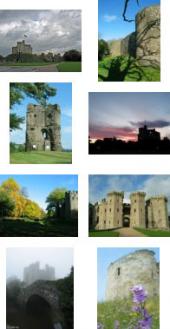
I'm proud to present the first free castle screensaver from Pictures of Castles. The screensaver contains 50 high quality images of medieval castles (see sample pictures on left of page). The castle images are shown randomly which means the screensaver will be different every time it is run.
Castle screensaver features
- The screensaver randomly displays photographs of castles as your screensaver
- You can set the interval between the castle photos that are shown.
- Missed a castle photo? You can browse back and forward through the displayed photos using the arrow keys.
- You can show the name of the photos in the top left corner. If you don't want to see the names, you can disable this option.
Screenshot screensaver setup
 The Castle Screensaver is ready to go after installation, but most features of the Castle Screensaver are fully configurable if you desire; you can change the frequency of the pictures, whether or not the picture names should be displayed, whether you would like the current time or screensaver running time shown, etc.
Click on the image to the right to see a full size screenshot of the wallpaper setup screen.
Please note: this screensaver is written for and tested on Windows XP only. Use in any other Windows version is at your own risk.
Shortcut keys
The following shortcut keys can be used when the Castle Screensaver is running:
| Key | Function |
|---|---|
| Navigate pictures: | |
| Left arrow | : Previous picture |
| Right arrow | : Next picture |
| Numpad 1 | : Show picture name |
| Numpad . | : Make picture name smaller |
| Numpad 0 | : Make picture name bigger |
| Numpad 5 | : Change clock |
| / (Numpad) | : Make clock smaller |
| * (Numpad) | : Make clock bigger |
Version history
11 June 2007
First release POFC Castle Screensaver based on version 1.3 screensaver core by abScreensavers.com